From Pseudo-Pixel Art To Pixel Art
Fitting Gaussian Mixture Model into Pseudo Pixel Art
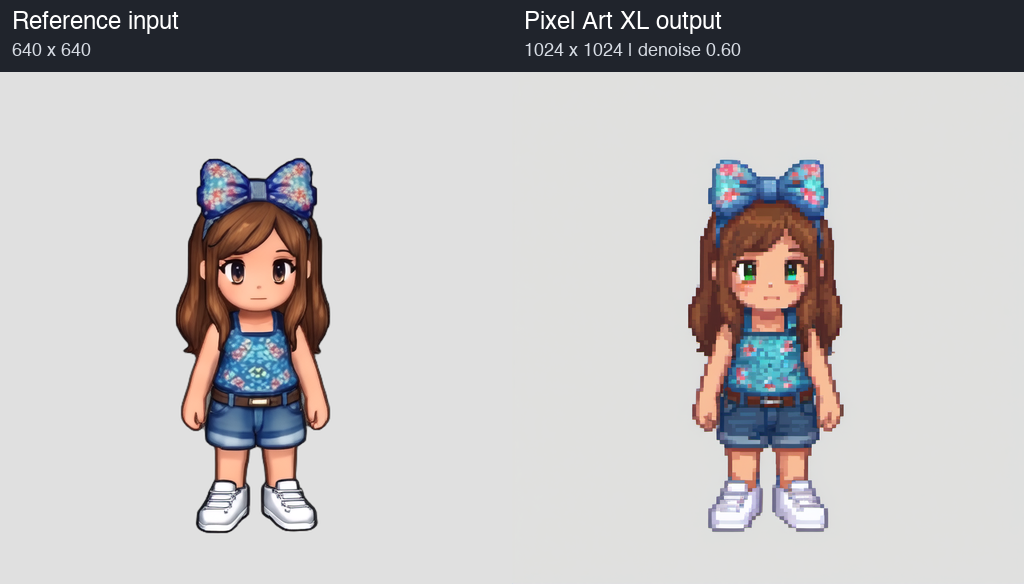
For Sprute, we are testing a local workflow that converts a rendered-looking character reference into a small pixel-art sprite. This example uses Lily's front view and produces a native 128x128 image.
There are two distinct stages. SDXL with Pixel Art XL creates the pixel-art interpretation. A custom Gaussian reconstruction then fits that generated image onto a regular pixel grid. The Gaussian stage does not run another diffusion model.
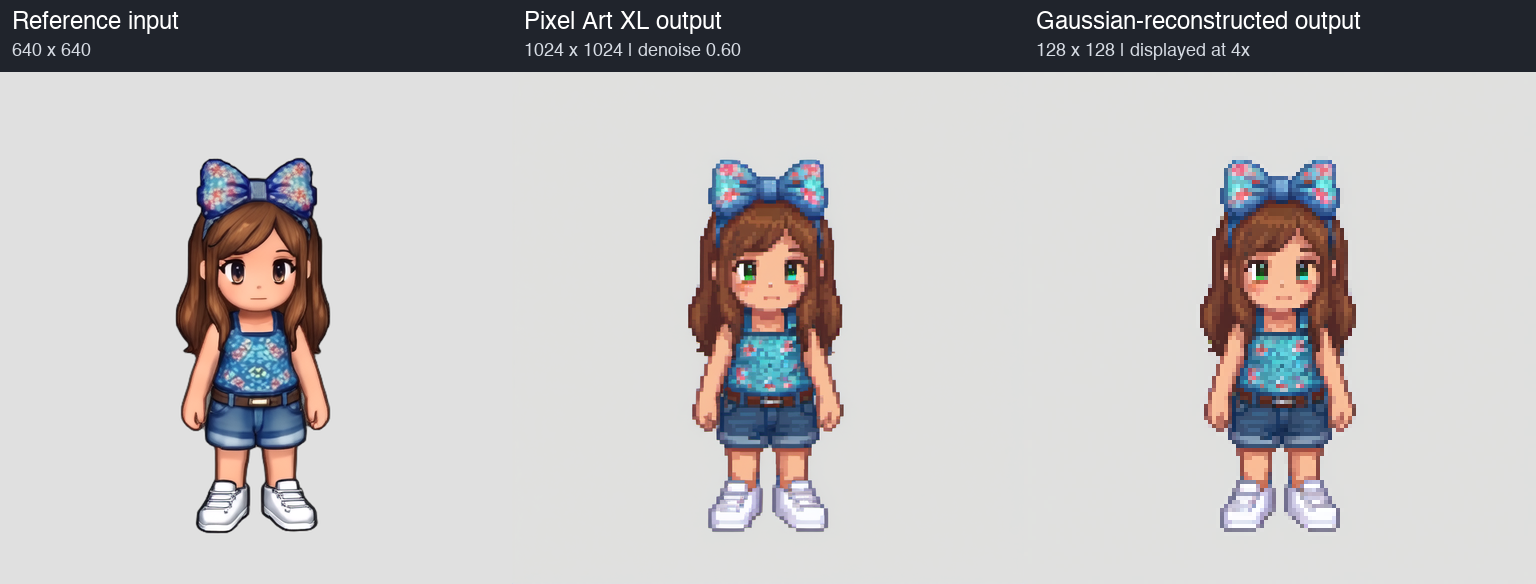
Models and tools:
ComfyUI for image-to-image generation
Custom PyTorch 2D Gaussian reconstruction for postprocessing
Stage 1 - Pixel Art XL configuration:
Input: 640 × 640 reference on RGB(224,224,224) background
Input resize: Lanczos → 1024 × 1024
Output: 1024 × 1024
Checkpoint: sd_xl_base_1.0.safetensors
VAE: supplied by the SDXL checkpoint
Pixel Art XL strength: 1.0 model / 1.0 CLIP
ControlNet: SDXL Canny 1.0 FP16
Canny thresholds: 0.20 / 0.40
ControlNet strength: 0.80
ControlNet start / end: 0.00 / 0.85
Seed: 20260921
Steps: 28
CFG: 5.5
Sampler: dpmpp_2m
Scheduler: karras
Denoise: 0.60
Batch size: 1
KSampler nodes: 1
Refiner: none
GPU: NVIDIA RTX PRO 6000 Blackwell 96GB
Prompt:
pixel art, cute chibi girl game character, front view, looking toward viewer, long chestnut brown hair, large blue floral bow on head, turquoise blue sleeveless floral top, blue denim shorts, white socks and white sneakers, standing, full body, same outfit and silhouette, clean readable pixel clusters, limited palette, flat light gray background
Negative Prompt:
photorealistic, 3d render, blurry, text, watermark, extra limbs, extra character, scenery, background pattern, dress, skirt, weapon
Input and Output:
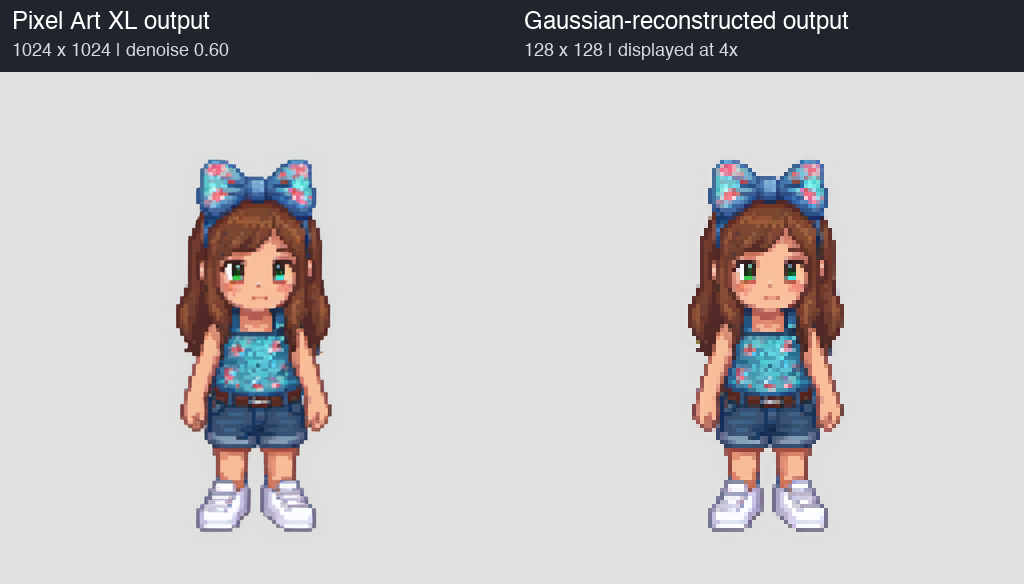
Stage 2 - Gaussian reconstruction:
The input to this stage is the raw 1024x1024 diffusion output, before nearest-neighbor downsampling. Internally, it is area-reduced to 512x512 for fitting.
Each target cell has a color and a small Gaussian footprint. The optimizer adjusts colors, a global grid offset, Gaussian widths, and a small field of local offsets to explain the input. After fitting, the colors are written to exact square cells on a 128x128 grid. The final sprite is not a blurred rendering of the Gaussian blobs.
Input: raw Pixel Art XL 1024 × 1024
Working image: 512 × 512, BOX area resize
Native output: 128 × 128
Optimizer: Adam, 180 iterations
Color learning rate: 0.02
Geometry learning rate: 0.01
Displacement control field: 8 × 8, bilinearly interpolated
Local reconstruction neighborhood: 5 × 5 cells
Seed: 42
Initial displacement jitter: 0
Additional gradient/outline loss: disabled
Palette quantization / dithering: none
Second diffusion pass: none
Compute: Apple M1 Pro CPU, 4 PyTorch threads
Recorded optimization time: 36.17 seconds
The objective combines Smooth L1 reconstruction error with weak displacement smoothness, displacement magnitude and color-variation penalties. Parameters are optimized for this individual image; there is no pretrained Gaussian checkpoint. The recorded time covers optimization, not the entire pipeline or a standardized hardware benchmark.
Gaussian input and output:
Comparison between Nearest Neighbor and Gaussian Reconstruction:
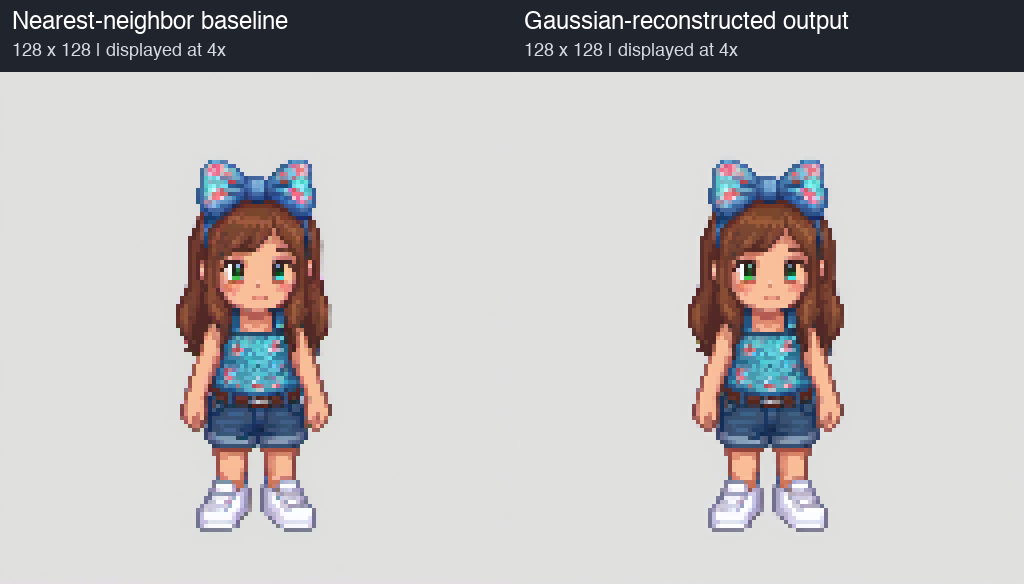
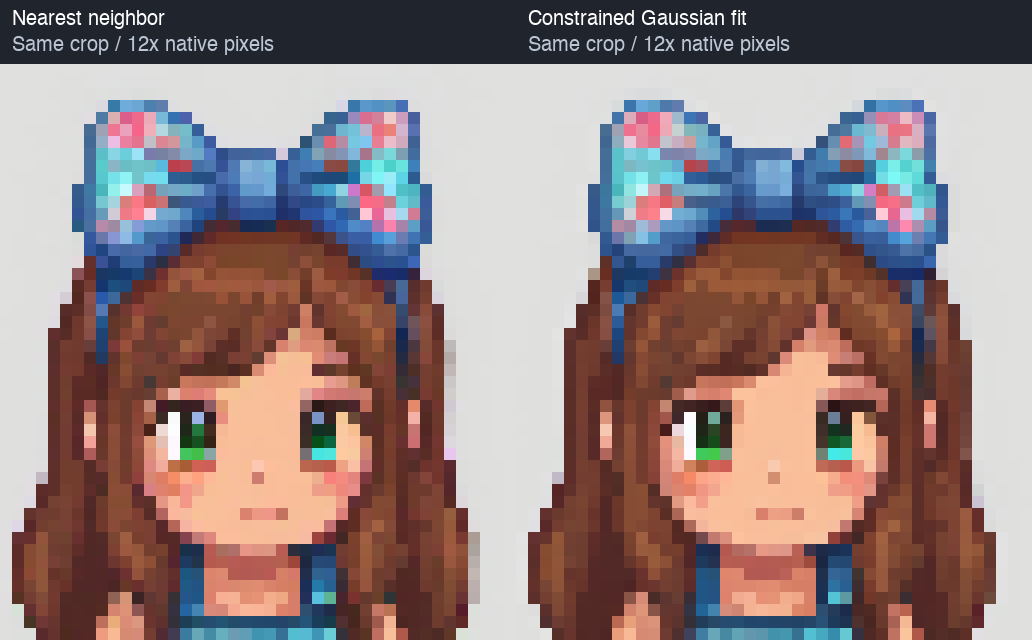
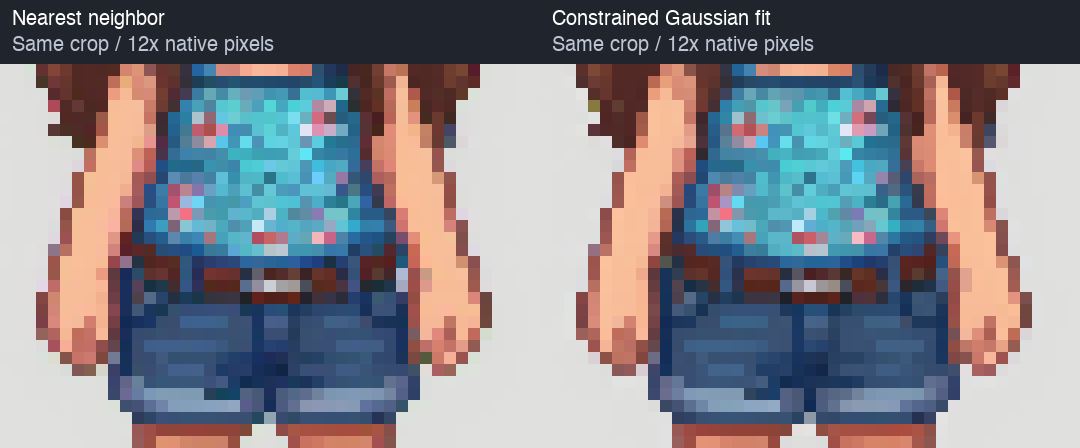
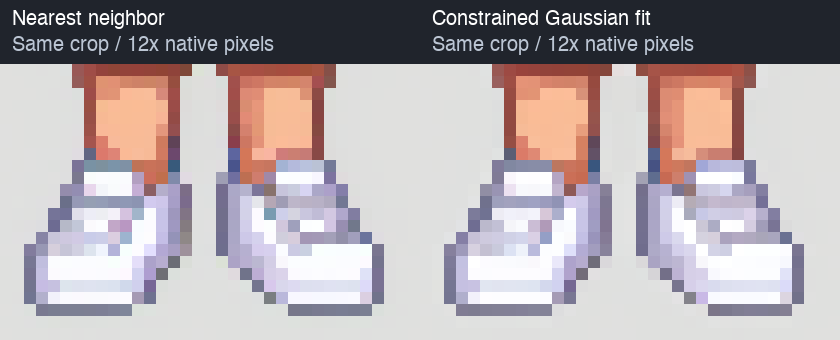
Half-width Box Tests:
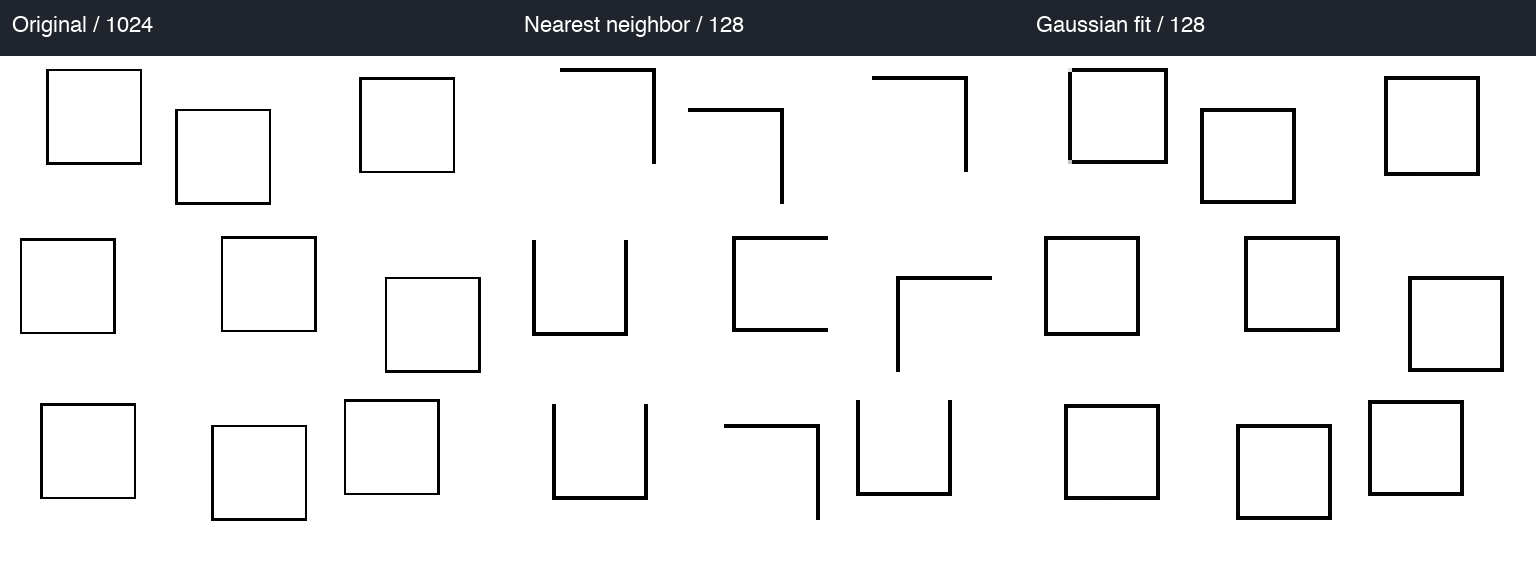
It does pretty well when there are less than 1px worth of outlines.
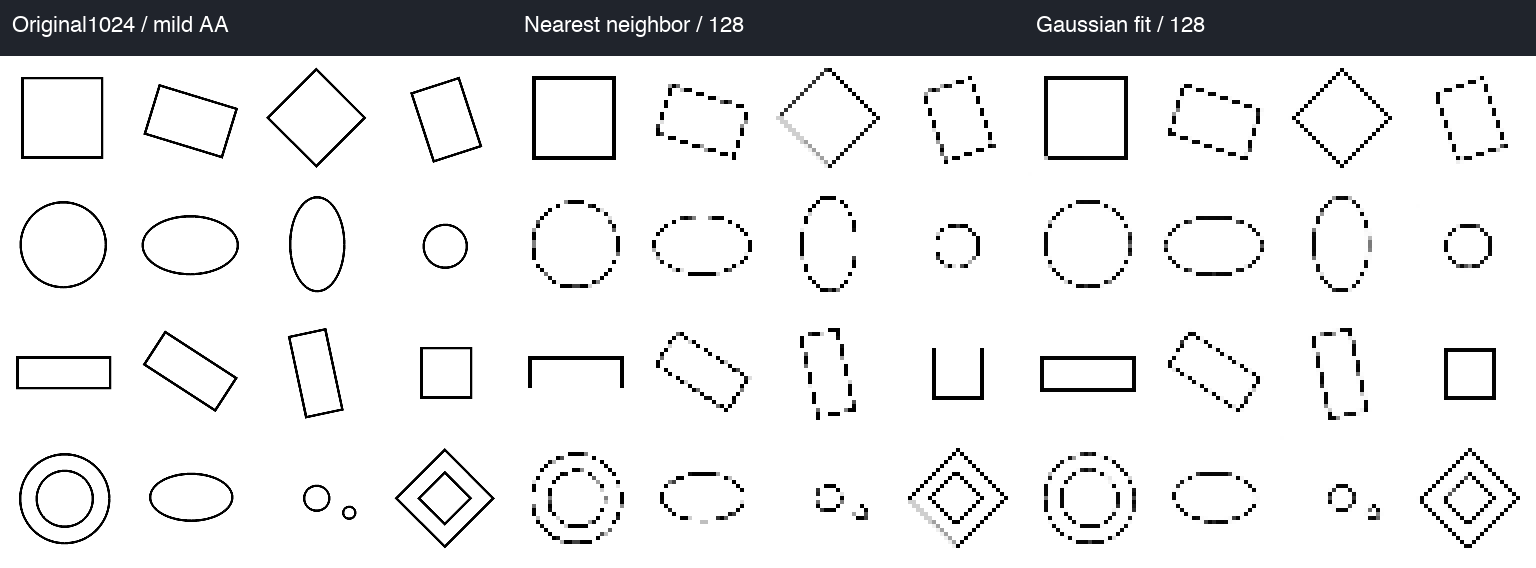
But it still fails on more complex shapes.
Gaussian Fit without Pixel Art XL:
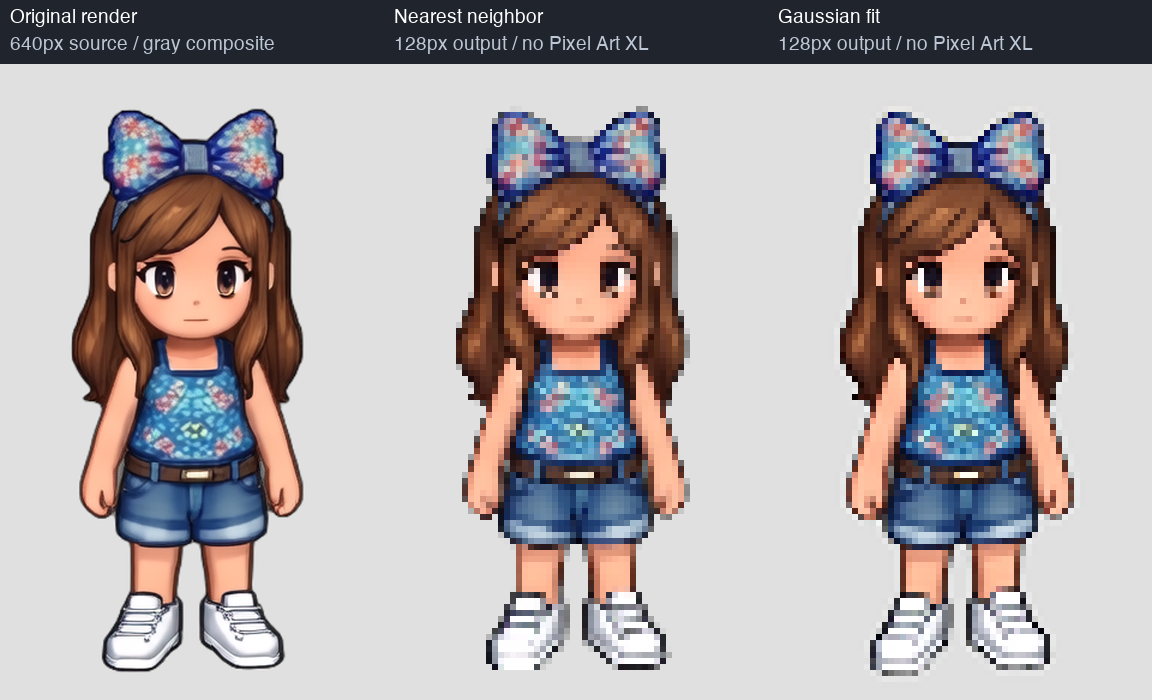
Interestingly the gaussian fit surprisingly do a good job at quantizing the original image. It's not perfect.
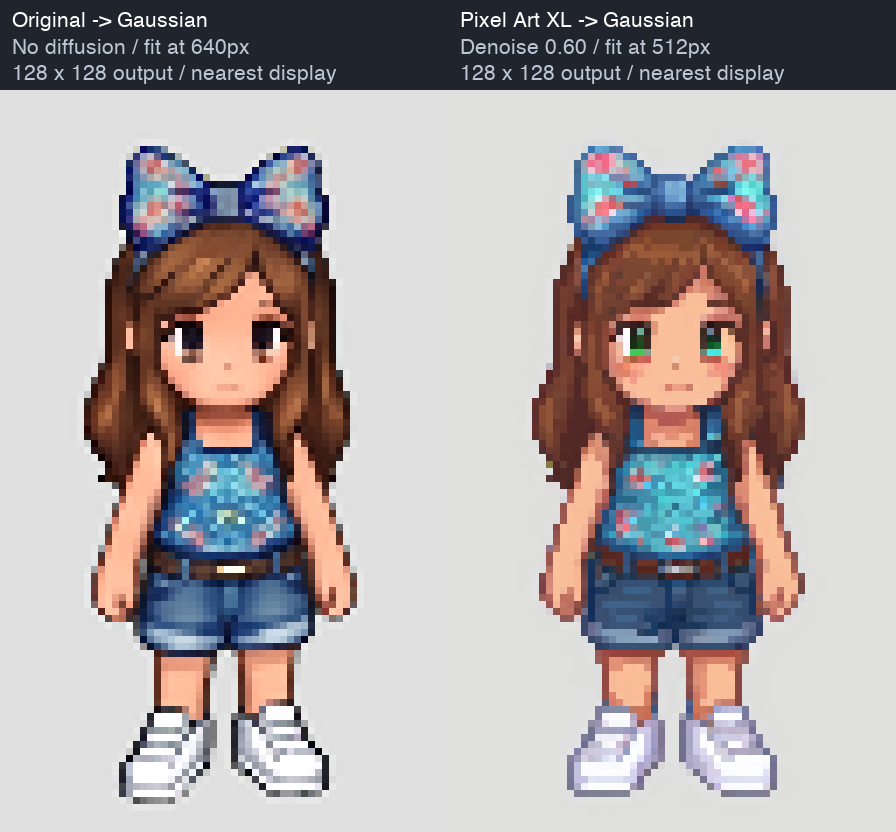
Discussions:
It looks like the border bleeding problems are remedied to certain degree (see hair).
It is too early to tell if the approach worked effectively.
The shows outline seems to be missing few pixels.
We are fitting Gaussians, but should we fit something else?
Pixel Art XL also produces some dithering and it can't directly be used on animations. What are some remediations.
Next Steps:
Study this further and try this on a more diverse set.
Also figure out what happens if we use it on top of the original image rather than Pixel Art XL output.
We need to figure out if this approach can be adapted for RGBA input.
‒ Sprited Dev 🐛