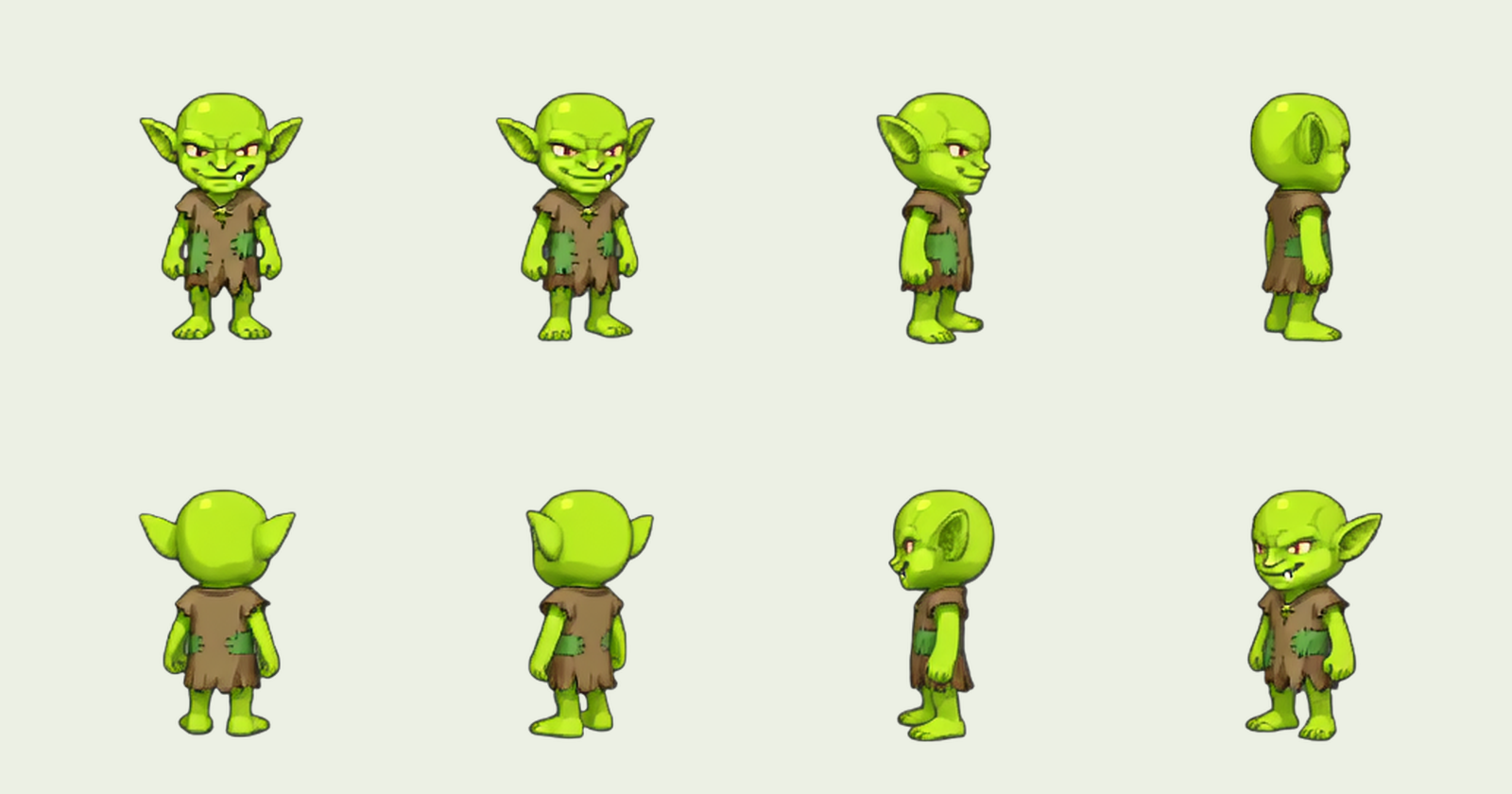
Today's focus will be to expand SpriteDX's capabilities to generate more diverse actions and states.
Here is what we have now:
Reference Photo
Idle State
Greet Action
Run Cycle

We'd like to add more states. Let's experiment with some states that can be created from idle state.
First, we will take out the first frame of idle state.

Sitting Down State
Let's pose the character. We are using Nano Banana Pro.
Iteration 1: 2d side scroller game character sprite is sitting down on imaginary flat grass tile (invisible) on pure white BG without shadows
Iteration 2: 2d side scroller game character sprite is sitting down on imaginary flat grass tile (invisible) legs crossed and leaning back a little on pure white BG without shadows
Iteration 3: 2d side scroller game character sprite is sitting down on imaginary flat grass tile (invisible) legs crossed and leaning back a little on pure white BG without shadows
This is 2d side scroller platformer character. character's pelvis and the foot should be at same level.

Problem: It is difficult to control the pose.
Analysis: It would be nice if we can provide non-textual pose descriptions. Or environmental constraints like ground.
Tried some to control the pose by giving it some visual cues.


Most of the time the character is deformed because the face position is locked in place.
As an alternative, let's just use Seedance 1 Pro to let it simulate sitting down.
character sits down

That's better. There is some zooming effect. Let's see if we can address it.
Character fully sits down on the ground and rests for 2 seconds then stands up again fast.
#pure-white-background
#game-sprite-animation


Our editing pipeline extracts the sit down animation. Blinking too fast but yeah.

For sitting down animation, we probably want to hold the first or last frame.

Increased last frame's duration.
Analysis: We lost the sitting down animation, but we achieved our goal of getting a Sitting down state. Let's not worry about the transition states. Let's assume in-betweening is a solved problem.
Walk Cycle
Let's start with Seedance 1 Pro.
Character slowly strolls towards right (in-place)
#white-bg #character-in-place #zoomless #no-camera-movement
This produces character literally walking in place without moving much.
Let's modified version of our current run cycle prompt.
<shot
  id="walk"
  camera="fixed"
  zoom="1"
  duration="1s"
  loop="true"
  style="background: white;"
  alt="Pixel art character walks in-place facing right. Shows an walk loop animation — at least two full cycles."
  tags="pixelart spriteanim fullbody loopanim 角色帧动画"
>
  <character
    class="ELI_93Q"
    name="Eliana"
    state="walk"
    direction="right"
    src="eliana-sprite-walk-loop.gif"
    style="rendering: pixelart; shadow: none; effects: none; decoration: none; direction: front; wing: none;"
    alt="Pixel art character walks in-place for at least two full cycles."
  />
</shot>
Hmm, somehow it starts dancing then tries skipping LOL. Tried a few times similar results. Let's be direct and just try something more intuitive:
walk_cycle.gif
The character does not show walk cycle but just walks around.
walk_cycle.gif
character at the center of camera.
shows walk cycle of game sprite. character is walkign towards right for 2s then stops.
This worked some what.

Another sample after loop-detection.

Yield is not super great but at least we have something working!
Now, let's move on to some other states.
Look At
This one tests whether we can control the character to look up.

character looks at red dot for a second, then looks at blue dot for a second then green then orange then goes back to looking straight
#gaze #head-movement #zoomless #static-camera #full-body #white-bg
Tried it with different durations. It works surprisingly well but the number of movements were limited to 3. That is, the character will look at red, then blue then green but skip orange one.
When I increase the duration to 8, it does look at 4 different directions.

But, it still doesn't seem ideal. It is difficult to generate exactly right sequence.
Trying out a different prompt patterns.
shot1: Character is looking straight right shot2: Character is looking towards red dot shot3: Character is looking towards blue dot shot4: Character is looking towards green dot shot5: Character is looking towards orange dot shot6: Character is looking straight right again
#gaze #head-movement #feet-fixed #zoomless #static-camera #full-body #white-bg
The results are very random.

Let's simplify this a bit.
character stays still while loooking upwards
#static-camera #white-bg #game-sprite #gif

Analysis:Just asking the character to look at certain direction was not so successful. The pointers. Colored squares were useful but also led to lots of superfluous generations.
Proposal: I think for LookAt state needs to be handled separately. Perhaps we can use different models. Let's try using NanoBananaPro.
Character is lookin up towards the red dot

NBP did it in one shot. There isn't much of transition but at least we got a solution. Then we can cleanup those pointer dots and be done.
Let's assume that for these states we will use NBP.
Emotion - Sadness
Let's use Seedance 1 Pro.
Character is depressed. It is welling up.
#static-camera #zoomless #full-body #gesture #game-asset #sprites

Not sure if we can use that as a state. Tried other prompts
Character is showing emotion "sadness"

Its dramatic but not sure if it really works for my case. We also need to blur out the canvas boundaries for something like this.
Character is sad and she squats in-place and crys her heart out.
#cartoony #static-camera #zoomless #full-body #gesture #game-asset #sprites #white-bg

Processed loop-cut version:

This works, but really like that warming animation. Perhaps, we need to detect the loop but also add in the initial transition.
Transition In ------> Loop ------------> Transition Out
                       ^       |
                        -------
Let's call this done even though we haven't really worked on reliability of generation. This imperfection is not necessarily a bad thing.
Emotion - Overjoy
Same here, we are using Seedance 1 Pro.
Character is overjoyed she is jumping up and down super excited!!!
#cartoony #static-camera #zoomless #full-body #gesture #game-asset #sprites #white-bg
Using the default reference image gets me:

Works for me!
We are doing another experiment by expanding the canvas to allow for more movement space.
Character is overjoyed she is jumping up and down super excited!!!
#cartoony #static-camera #zoomless #full-body #gesture #game-asset #sprites #white-bg

In this mode, we are using 640x640 canvas. We get more movements.

Analysis: We will have to somehow figure out how to situate the character in the right spot.
Or, we can simply have all our generations be done in that extended canvas so that we don't have to worry about situating the characters.
Let's call this state done.
State - Hunger
Character is super hungry. Character is squatting down, grabbing its stomach and begging for food.
#cartoony #static-camera #zoomless #full-body #gesture #game-asset #sprites #white-bg
Some trials


Analysis: Even though the action shows the hunger, it doesn't seem enough. We can augment these animations with a message bubble that shows meat or sandwiches... For now, let's leave it be.
Character is experssing hunger. She is pissed that you are not feeding her. She is sitting down and grabbing stomach.
#cartoony #exaggerated #static-camera #zoomless #full-body #gesture #game-asset #sprites #white-bg

Extracted Loop

This seems a bit better. Let's call it at that.
Sleeping
Character could be sleeping.
Character is super sleepy. She lays on her front and takes a nap at least for 4s.
#cartoony #exaggerated #static-camera #zoomless #full-body #gesture #game-asset #sprites #white-bg
In this particular result, we see style drift.

Let's try out few more samples.

This one was fine. Extracted loop:

One more sample: Overly dramatic sample.

Let's call this state done.
Squashed
This state happens when character is squashed by the blocks. This one is probably hard. But let's try this. We start with Nano Banana Pro.
Character is squashed by two imaginary large square blocks left and right.

Results weren't good. I think we need some way to show the model what these blocks are.
Character is compressed left and right. We want dramatic picture of character getting squashed in-place without any props.
Keep the proportions the same and design and style the same
#white-bg

I think we give up on the squashed state, and instead work on "pain" state.
State: Getting Hit
Let's try Nano Banana Pro.
Game Sprite State: Getting Hit
#white-bg #no-special-effect #just-character #sprite-asset


Relatively, reliably, we are able to generate the getting hit state.
Ready-To-Fight
Character enters fighting stance (ready-to-fight) stance bare handed for 3s.
#cartoony #exaggerated #static-camera #zoomless #full-body #gesture #game-asset #sprites #white-bg


Second one seems promising. This state is good because we can not start from ready to fight frame.
Let's also try NBP.
Game Sprite State: REady-to-Fight pose.
Keep proportions and style the same #white-bg #no-special-effect #just-character #sprite-asset
NBP's weakpoint is that when we generate something similar to the original image, it is often not able to translate parts of the body. For example when trying to get a character sitting down animation, it just elongates torso and have the legs sit down.

If you look at this example, the character head becomes fixed in space. So the body becomes somehow bigger to acommodate.
I think we need to use Seedance 1 Pro instead and pick out the right frame.
Punching
SHOT 1: Character enters fighting stance (ready-to-fight) stance
SHOT 2: Character throws punches
SHOT 3: Character goes back to original state
#cartoony #exaggerated #static-camera #zoomless #full-body #gesture #game-asset #sprites #white-bg

Well not working all the time of course.

Issue: We would want to figure out a way to detect this incorrect generations and throw them out. I think we can do video to latent mapping then we can try to match up with the reference latents to compare the similarity and throw out distant ones.
Kicking
SHOT 1: Character enters fighting stance (ready-to-fight) stance
SHOT 2: Character does high kick 2 times (towards right)
SHOT 3: Character goes back to original state
#cartoony #exaggerated #static-camera #zoomless #full-body #gesture #game-asset #sprites #white-bg #effectless

It's not easy to control but we can get some clips like these ones.
Pushing
For characters to impact the world, we need to support things like Pushing and Pulling. Let's see what we can do here. This is probably one of the harder ones to achieve.
Character pushes large block towards the right.
#no-zoom #camara-fixed #sprite-asset #game-asset #white-bg

Trials

So, somewhat works with lots of errors of course. Also we need to learn how to remove the green box.
Let's try multi-shot prompts.
SHOT1: Charater approaches the large green block
SHOT2: Character pushes the block 2 steps to the right
SHOT3: Character pull the block back to where it was.
#no-zoom #camara-fixed #sprite-asset #game-asset #white-bg

Anaysis: I think for these actions, we would benefit from providing motion keys. We could try Seedance 2 Pro.
An alternative is to use kinda "magic" spell.
Character stands and uses magic to push the block away from her.
Then she does another magic to pull the block back to original position
#no-zoom #camara-fixed #sprite-asset #game-asset #white-bg #shadowless

Not what I was looking for.

Still no. I think we need to find out some other models that can take in skelal image and translate that to animation. Let's give up on this for now.
Laughing Out Loud
Character laughs out loud.
#no-zoom #camara-fixed #sprite-asset #game-asset #white-bg #shadowless

Laughing out loud seems to be one of the easier ones to handle. Let's call it done.
Crafting
In the world of Machi, characters need to be able to create statues and stuff. So, let's add animation state for "crafting."
Character is crafting something
#no-zoom #camara-fixed #sprite-asset #game-asset #white-bg #shadowless

Character is crafting something out of thin air
#no-zoom #camara-fixed #sprite-asset #game-asset #white-bg #shadowless

Character is crafting something. Weaving it then throwing it to manifest.
#no-zoom #camara-fixed #sprite-asset #game-asset #white-bg #shadowless

Character is crafting something. Creating a mold then molding it into something then throwing it to manifest.
#no-zoom #camara-fixed #sprite-asset #game-asset #white-bg #shadowless

Character is acting as if it is doing magic
#no-zoom #camara-fixed #sprite-asset #game-asset #white-bg #shadowless

Okay, may be this will do.
Not sure how to control this kinda thing but let's worry about it later.
Death
Not sure if we will have death in Machi but let's model it regardless.
Character death sequence
#no-zoom #camara-fixed #sprite-asset #game-asset #white-bg #shadowless

Character death sequence and disappears
#no-zoom #camara-fixed #sprite-asset #game-asset #white-bg #shadowless

Yeah, not sure. Little hard.
Character death sprite-animation sequence
#no-zoom #camara-fixed #sprite-asset #game-asset #white-bg #shadowless
I think death can be more of special effect on the freeze frame than animation.
Or we can try to freeze the character so that it becomes immobile until external help arrives.
Character freezes into a solid crystal block.
#no-zoom #camara-fixed #sprite-asset #game-asset #white-bg #shadowless

Not what I had in mind.

Character INSTANTLY freezes into a solid crystal block. Then shatters.
#no-zoom #camara-fixed #sprite-asset #game-asset #white-bg #shadowless

Also trying NBP:
Character frozen in crystal state. It is when character dies it gets frozen into a block.
Keep proportions and style the same #white-bg #no-special-effect #just-character #sprite-asset

We could use one of these states as immobilized state which could work. I think I like the NBP solution better here.
Or again, just add some special effect or sprite overlay to show that it is immobilized is enough.
Summary
We experimented with expanding the state. Yield is not great but still about 50-70% of the cases we were able to find a good solution.
I think we should automate and solidify some of these generations and put them into SpriteDX.
Next Steps:
I want to experiment with Seedance 2 Pro. First get access to it and try to provide 3D capsule man video then ask the model to produce animation.
Alternatively, I can start compiling all these animations into states. It will be done manually first, then we will figure out a way to automatically compile them in SpriteDX.
We also kinda need a way to extract a rig out of the videos so that we can position the characters. It would help us build a correct hitbox as well.
The best thing though would be to have a real-time model that can skin the stick figure that I provide. That would be the ideal situation.
🐛 Sprite Dev
Comments
Join the discussionNo comments yet. Be the first to comment.